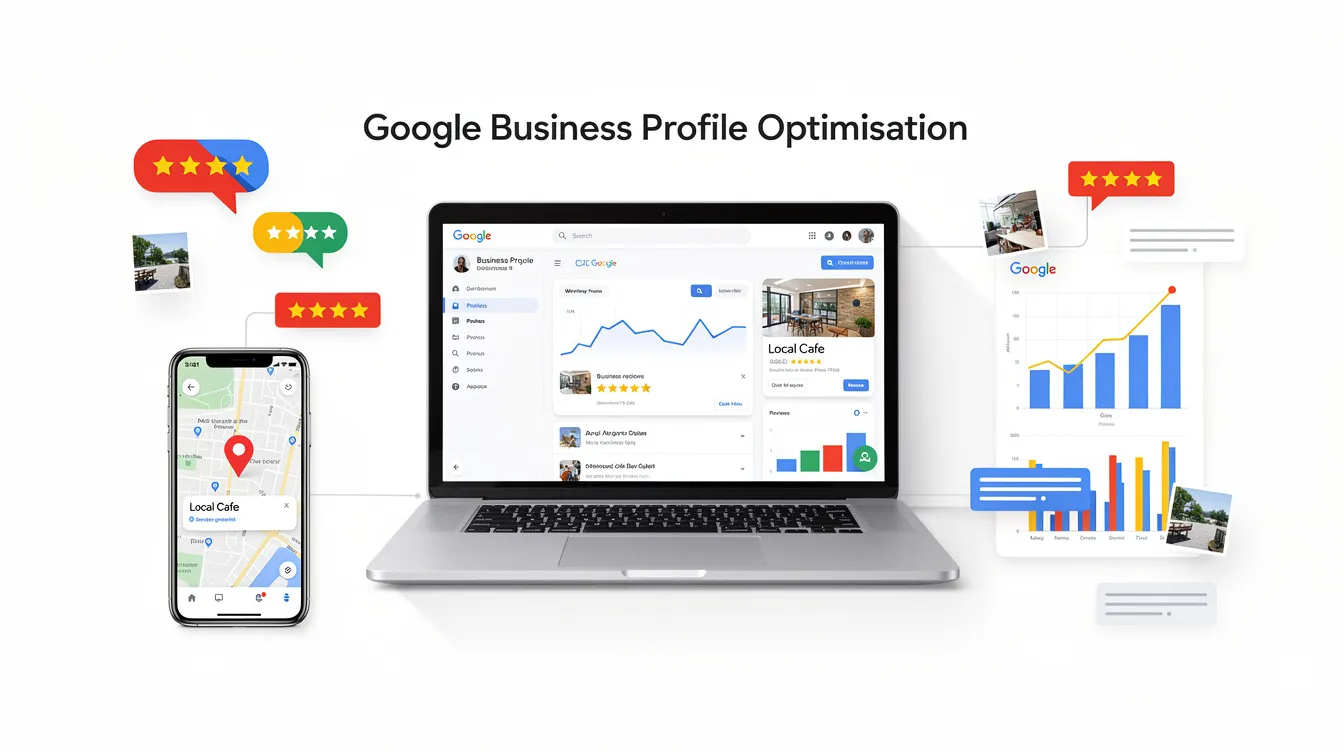

For most businesses, a fully optimised profile on Google is the fastest way to attract more customers from local search. This guide walks you through every detail that matters, from choosing the right categories to building a review strategy that drives more leads.
When someone searches "electrician near me" or "Italian restaurant Auckland," the map pack and business profile results appear above organic search results. A complete, up-to-date gbp profile often gets more views and actions than a small business homepage, especially on mobile. For local customers who don't know your brand, your google business profile is usually their first impression - a strong google business profile builds immediate trust with customers. It controls how your business appears across google search and google maps, including your address, reviews, photos, and key actions like calls and bookings. Optimizing a google business profile improves local search visibility and helps potential customers choose you over competitors.
According to Google, local results are based on relevance, distance, and popularity. Google's algorithm weighs these to decide which businesses appear in search results:
You cannot move your building, but you can greatly improve visibility by strengthening relevance and prominence through google business profile optimisation.
If you haven't claimed your profile, all other optimisation is wasted. Create or claim your profile via business.google.com, choosing the correct type (storefront vs service-area business). Claiming and verifying a google business profile establishes authority. Verification options in 2026 include phone, email, postcard, and video verification - keep official documents handy. Use the exact business name, address, and phone number from your invoices and signage. Never add relevant keywords to the business name that aren't part of your legal name; keyword spam risks suspension.
These business details have the strongest effect on whether you rank higher in local search results and convert browsers into clients.
Your business name should match signage and official records exactly. For example, use "Harbour View Dental," not "Best Cheap Dentist Auckland." Adding extra location or service keywords that aren't used offline can lead to suspensions and loss of reviews. Consistency across your website header, invoices, and citations is essential for build trust signals.
Your primary category is a crucial ranking signal for GBP - primary category selection impacts rankings by 15%. Choose the most specific option, like "Emergency Plumber" over "Plumber." Only add secondary categories for genuine recurring services. Selecting specific business categories helps Google match businesses with relevant searches. Review categories annually as Google updates its list.
Use close to the full 750-character limit. Front-load key details and include natural mentions of suburbs and services. Example: "Based in Newmarket, we provide emergency plumbing, hot water cylinder repairs, and gas fitting across central Auckland including Parnell, Remuera, and Ponsonby." Avoid promotions or pricing that will date quickly.
Storefronts need a precise street address matching their website. Service-area businesses can hide their address and specify service areas by suburb or region. List realistic service areas. Keep business hours and opening hours accurate - including special hours for holidays. Incorrect hours cause negative feedback and lost trust. Accurate business information prevents lost inquiries from customers. Complete business information includes name, address, phone number, website, and hours.
Use a local phone number with regional code for trust. Link to a dedicated local landing page rather than the homepage - for example, "/auckland-plumber." Connect an online booking system so "Book Online" buttons appear in google search and google maps. Test how actions appear on mobile.
List all major services with clear descriptions and likely search terms like "wisdom tooth removal" or "heat pump installation." Completing the services section enhances your profile's SEO effectiveness. Attributes like "wheelchair accessible" or "online appointments available" improve click-through rates. Regularly update these when you add or remove services.
Online reviews are a strong local ranking signal - review signals account for 17% of local ranking factors. Businesses with more positive reviews rank higher on Google and in search results. Reviews significantly increase customer trust and conversion rates.
Create a direct review link from your dashboard. Proactively asking customers for reviews influences local rankings. Ask via follow-up emails, SMS after completed jobs, printed QR codes, or links on invoices. Happy customers are usually willing - you just need to make it easy.
Reply to every review. Responding to reviews should be done within 24-48 hours. Responding to reviews shows potential customers you care. Actively managing reviews impacts visibility and customer trust.
Acknowledge the issue, apologise where appropriate, and invite the reviewer to continue privately. Google and customers both look at how you respond to criticism. Some reviews violating Google's policies can be flagged, but removal isn't guaranteed. Never publicly offer discounts for review edits. Use patterns in negative feedback to create real business improvements.
High quality photos and videos are not optional. Profiles with photos receive 35% more clicks to their websites and 42% more requests for directions. High-quality authentic photos build trust and increase engagement, and images on your profile enhance trust and appeal to customers.
Upload clear, well-lit high quality images of your exterior, interior, team, and products. Avoid stock photos. Add new photos at least monthly - before-and-after shots for trades, fresh menu items for restaurants, recent projects for agencies. Short video clips like walkthroughs or staff introductions increase engagement further. Regularly uploading high-quality photos and videos keeps the profile fresh.

Using updates for news, offers, and events shows business activity. Regular updates to your profile signal business activity to Google, and regular updates improve engagement and visibility on Google. Posting updates on your profile can increase calls and visits. Regular updates to your GBP can improve engagement and visibility, and regular updates to your profile can improve engagement and rankings.
Use strong headlines and clear calls-to-action like "Call now" or "Book online." Showcase seasonal offers and community involvement. Keep posts short, visual, and easy to skim on mobile. Active profiles consistently outperform neglected ones. Regularly update your profile to increase engagement.
Once core fields, reviews, and visuals are handled, these tactics help you rank higher in competitive areas.
Google tracks how often people click to call, request directions, or visit your website. Improve your main photo, headline, and opening hours to match what users expect, increasing click-through rate and reducing "back button" behaviour. Experiment with different cover images over 60–90 days to see what drives more leads.
A weak website drags down prominence. Build at least one strong local landing page per key location with unique content and clear calls-to-action. On-page SEO basics - page titles, headings, internal links - should align with your gbp profile category and business description. This is a crucial factor in digital marketing for competitive niches.
Maintaining NAP information consistency is essential for search engine legitimacy. Ensure identical business information across Google, your website, major directories, and social profiles. Audit key directories annually to correct mismatched details. Clean, authoritative listings support prominence. Avoid cheap automated directory services that create low-quality or duplicate listings.

Minor improvements like more views and more calls can appear within 2–4 weeks after significant updates. In competitive markets, measurable ranking shifts may take 3–6 months as review velocity and photo volume build. Check Insights monthly, not daily. Seasonality and local demand also affect results independently.
A single profile is anchored to one primary address, so you cannot dominate map pack results in distant cities without verified physical locations. Service-area settings help you appear slightly beyond your suburb but don't replace real offices. Opening legitimate additional locations with signage and staff is the proper approach. Virtual offices or PO boxes violate Google's guidelines and risk suspension.
Suspensions often happen due to name spam, ineligible addresses, or abrupt changes. Review Google's latest guidelines, gather documents like utility bills and signage photos, and use the official reinstatement form. Provide honest, detailed explanations rather than repeatedly resubmitting short appeals. Reinstatement can take days to weeks.
Google My Business was the previous name for the same platform, now rebranded to google business profile. Most features are similar, but the interface has moved into google search and google maps rather than a separate app. Older tutorials referencing "GMB" still apply in principle, but buttons and menu items may look different.
While some very small businesses operate mainly from their profile, a website gives more control and long-term stability. A well-optimised local website strengthens prominence and helps you appear for broader keywords that don't show a map pack. Relying solely on any single platform is risky - policy changes or suspensions can suddenly cut off local visibility. View your google business profile as one core pillar, working alongside a trustworthy website and other channels to reach maximum visibility and more customers.
Google prioritizes businesses with complete profiles for visibility - profiles with complete information attract more local customers. A fully optimised profile increases visibility in local searches. Start with verification, fill every field, and commit to monthly updates. That's how most businesses ignore easy wins while you build something that consistently delivers.