
In the early 2000s, most websites were static digital brochures. They listed business hours, showed a logo, and maybe offered a contact form. Today, website design is something entirely different. In 2026, your site is a decision engine where consumers discover, compare, evaluate, and purchase without ever speaking to a human. For e commerce and service businesses, the site is the storefront, the sales team, and the support desk rolled into one.
The stakes are measurable. Research shows that users judge a site's visual appeal in as little as 50 milliseconds after a page loads, drawing instant conclusions about trustworthiness and quality. Meanwhile, 53% of mobile users abandon a page that takes longer than three seconds to load. Fast loading speeds prevent high bounce rates and retain user engagement, making performance a non-negotiable baseline. Websites should load in under two to three seconds to retain visitors.
This article connects website design to the broader consumer decision process and customer journey. Whether you are building a new site or redesigning an existing one, what follows is a practical guide for turning design into a competitive advantage that drives real business goals.
The classic consumer decision making process follows five steps: problem recognition, information search, alternatives evaluation, purchase decision, and post purchase evaluation. Modern models sometimes add loyalty and advocacy as a sixth step, recognizing the value of repeat purchase behavior and referrals. Each stage maps directly to how visitors interact with your site.
During problem recognition, your homepage and hero messaging must communicate that you understand the visitor's need. Strong headlines, relevant imagery, and visual cues that address pain points make the difference between a bounce and a scroll. Websites should have a clear purpose and facilitate easy navigation for users right from the first screen.
In the information search phase, navigation design, search bar prominence, category pages, and filters allow users to discover relevant options without mental effort. Intuitive navigation enhances user experience and reduces frustration, letting visitors find what they need instead of guessing where it might be hidden.
When evaluating alternatives, consumers rely on comparison tables, side-by-side product views, detailed specifications, and reviews. Clear calls to action guide users toward desired outcomes on a website, making the transition from evaluation to decision feel natural. For example, a well designed comparison layout with consistent columns and visible pricing helps visitors decide faster.
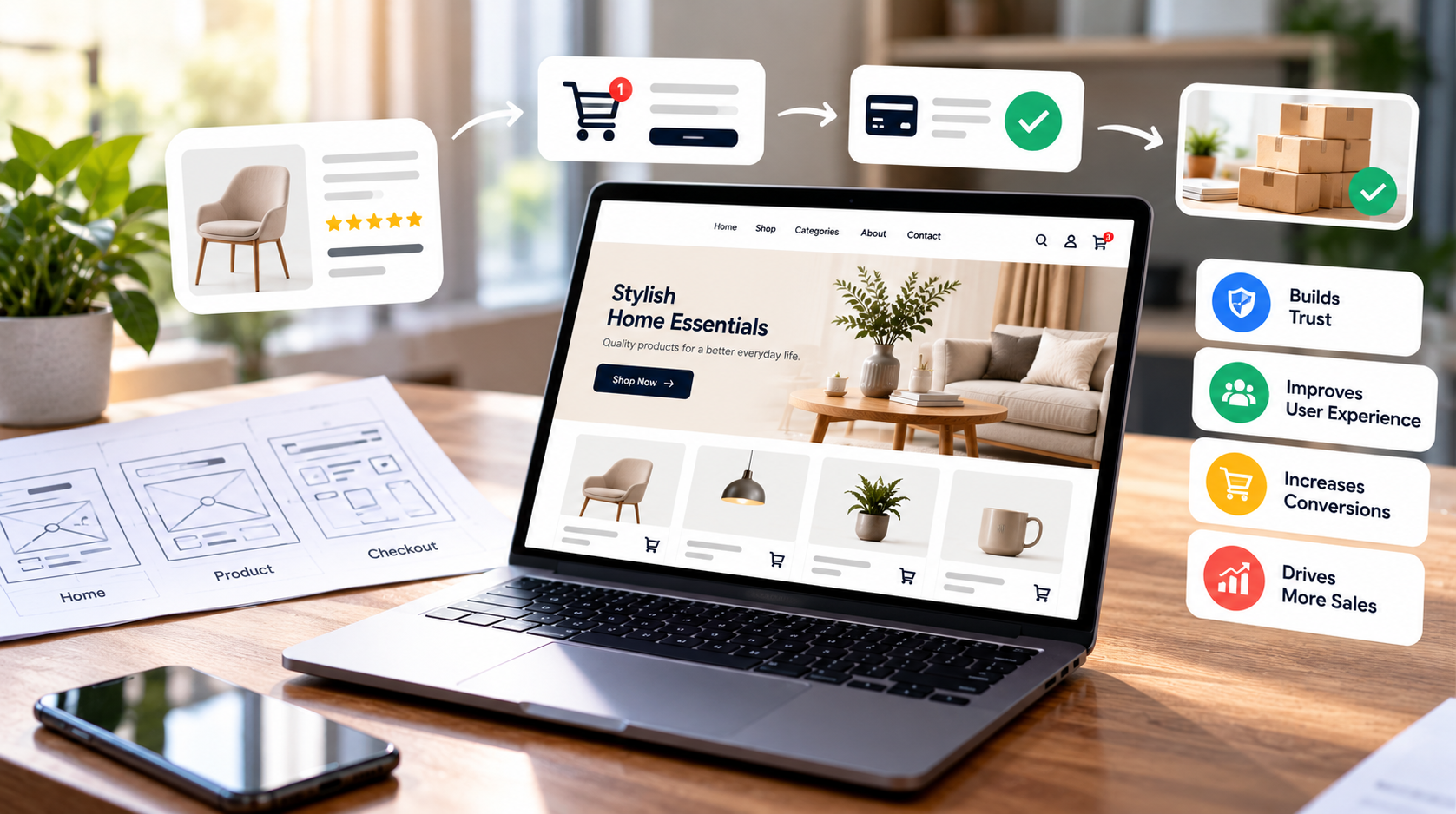
At the purchase decision stage, product page clarity, transparent costs, and a frictionless checkout flow determine whether someone completes the transaction. And the process does not end there: post purchase evaluation is shaped by confirmation pages, order tracking, review prompts, and easy access to returns. These elements reassure customers that their buying decisions were sound and encourage future loyalty.
Creating a user-friendly experience relies on several core principles. Key principles of effective website design include simplicity, consistency, and accessibility. Each one serves a specific function in helping visitors move toward a purchase.
Clarity means every element on the page has an unambiguous purpose. A primary CTA button should use an accent color that contrasts strongly with the background and verb-first language like "Add to Cart" rather than vague labels like "Submit." When the message is clear, users do not waste time interpreting what to do next.
Consistency builds trust through predictable patterns. When all primary CTAs share the same color, navigation appears in the same position on every page, and spacing follows a reliable system, visitors develop mental models that reduce friction. Consistent branding increases brand recognition by up to 80%, and that recognition compounds with every visit.
Hierarchy directs attention to what matters most. Size, color, position, and contrast work together so pricing and key actions sit above the fold while secondary information lives lower. Visual hierarchy guides user attention and decision-making on websites, ensuring that consumers focus on decision-critical content first.
Simplicity reduces cognitive overload. Limiting menu items to five to seven options, hiding secondary features, and avoiding competing promotional banners keeps focus on core content and calls to action. Simplicity helps focus attention and directly supports conversions. A well-designed website can increase conversion rates by up to 200% when unnecessary complexity is stripped away.
Feedback gives users confidence that their actions registered. Hover effects on buttons, inline form error messages, progress indicators during checkout, and mini-cart overlays after adding a product all communicate responsiveness. Without feedback, users second-guess whether something worked.
Layout is the skeleton of consumer decision making on any page. A well-structured layout improves user focus and reduces overwhelm. Effective layout uses size, color, and spacing to prioritize information. On product pages, placing the image on one side with pricing, reviews, and the CTA on the other aligns with natural reading habits. Eye-tracking studies consistently show F-shaped scanning on text-heavy pages and Z-shaped patterns on visually driven pages. Prominent CTAs above the fold and clean white space around decision-critical elements keep users oriented. E-commerce sites with clear layouts convert better than cluttered ones, and first impressions from layout occur within milliseconds of viewing. Bento grid layouts organize content into digestible blocks for better user understanding, especially on category and landing pages.
Color psychology plays a measurable role in consumer behavior. Research shows that 85% of consumers say color is the primary reason for purchases, and color increases brand recognition by up to 80%. Blue is associated with trust and professionalism, making it a strong choice for checkout pages and financial service sites. Red evokes excitement and urgency in consumers, which is why sale banners and limited-time offers rely on it. A contrasting accent color for CTAs draws the eye without overwhelming the palette. However, overusing aggressive or highly saturated tones can increase perceived risk and harm trust, particularly in industries like healthcare or finance. Color helps organize content and guide user navigation when used with intention rather than decoration.
Typography is equally strategic. Clear typography enhances readability and influences purchase decisions. Sans-serif fonts like Inter or Roboto dominate body text for screen readability. Ideal body text sits around 16px with line height between 1.4 and 1.6. Headings should be visibly larger with strong contrast to establish hierarchy. Legal text, such as return policies, must remain legible and meet a WCAG contrast ratio of at least 4.5:1 for normal text. Typography and visual identity are key to making websites memorable and distinct, signaling brand value before a single word is consciously read. Effective website design balances visual appeal with seamless functionality.

Professional design builds consumer trust and confidence in brands. When a site visually reflects the brand personality its audience expects, whether that is calm and minimalist for healthcare or bold and energetic for sports, it creates an emotional connection that goes deeper than features and pricing. Neuroimaging research has shown that blue-colored websites produce cognitive relief in the prefrontal cortex, and rounded button shapes are associated with approach behavior at a neurological level.
Trust signals belong near decision points. Customer reviews with names and dates, testimonials, security badges, money-back guarantees, and recognizable logos of payment providers or partners all reduce perceived risk. Authentic photography and video aids in building trust between businesses and users, making the brand feel real rather than manufactured. Cluttered visuals can create doubt and hesitation in users, so these signals should be clean and well placed.
Social proof placement matters as much as its presence. Reviews and testimonials near CTAs on product pages and in comparison sections shorten the consumer decision making cycle. When a visitor sees that thousands of customers bought and rated a product while their cursor hovers over "Buy Now," the psychological distance between consideration and action shrinks.
Each design pattern maps to an emotional lever. Safety comes from secure checkout indicators, clear privacy policies, and trusted payment options. Aspiration emerges through high quality images, lifestyle photography, and storytelling. Belonging is reinforced by user-generated content, community features, and customer voices. Convenience is delivered through easy navigation, mobile-first design, and personalization. Cohesive brand experiences enhance customer loyalty over time, while inconsistent design can undermine consumer trust and brand perception. Visual consistency across channels fosters familiarity and trust.
The customer journey in web context extends far beyond checkout. It starts at the first search result click or social media ad and flows through browsing, sign-up, purchase, support, and repeat business. Content should be valuable and scannable to facilitate quick digestion of information at every stage, since visitors arrive with different intentions depending on where they are in their process.
During the awareness stage, homepages and landing pages must communicate value instantly. Category pages support consideration by organizing options clearly. Product pages carry the heaviest load during evaluation and purchase, which is why they deserve the most design attention. Blog content and resource sections build authority during research phases, giving consumers reasons to trust your brand before they ever add something to a cart.
Consistency across the journey is critical. When a user clicks a social media ad with a specific visual style and lands on a page that looks nothing like it, confusion sets in. Maintaining uniform colors, typography, tone, and layout across all touchpoints keeps the experience seamless. Mobile-first design is crucial for ensuring a consistent experience across devices, since a large share of consumers now move between mobile devices and desktop during a single purchase journey. A seamless user experience means visitors never feel lost, regardless of entry point or device.
Post purchase evaluation happens on confirmation pages, in follow-up emails, and through support interactions. When these elements share the same design language as the rest of the site, customers feel reassured that they are still dealing with the same brand that earned their trust.
E commerce website design demands precision at every step. Product listing pages need clean grids, high quality images, visible pricing, and quick-access filters. High-quality images increase user engagement on websites, and poor product photography is one of the fastest ways to lose a potential sale. Responsive design allows websites to adapt to any screen size seamlessly, which matters enormously when over half of e commerce traffic comes from mobile devices.
Features like search with predictive text, wishlists, size and color filters, and comparison tools support information search and alternatives evaluation within the consumer decision process. These tools reduce the mental effort required to narrow down choices, keeping consumers on your site instead of sending them to a competitor.
The checkout experience is where many sites lose revenue. Average cart abandonment rates sit around 70.22%, and much of that friction is design-related. Guest checkout availability, minimal form fields, progress indicators, trusted payment logos, and mobile-optimized payment methods introduced widely since 2024 all reduce drop-off. Every extra step or unclear label at checkout is a reason for consumers to leave.
Post purchase evaluation in e commerce is influenced by order confirmation pages that clearly summarize what was purchased, follow-up emails with delivery tracking, and easy return processes. When these pages are visually designed to feel reassuring with consistent branding, clear timelines, and accessible support links, customer satisfaction rises and repeat purchase behavior follows.
Website performance should be a primary design consideration to avoid user frustration. Performance-first design emphasizes the need for fast-loading and efficient web experiences. In 2026, competitive sites target a Largest Contentful Paint under 2.5 seconds for the 75th percentile on mobile, with Interaction to Next Paint under 200 milliseconds. Technical decisions like image compression to WebP or AVIF formats, lazy loading, code splitting, CDN usage, and aggressive caching translate directly into better purchase completion rates.
Current trends focus on visual engagement combined with fast performance and accessibility. The three are no longer separate concerns; they must work together. A beautiful site that takes five seconds to load on a mobile connection will lose more than half its visitors before they see a single product.
Accessibility in design improves user experience for people with disabilities and expands your total addressable market. Inclusive design improves usability for diverse users and enhances overall website effectiveness. A 2025 audit of the top one million homepages found that 94.8% had detectable WCAG 2 failures, with an average of roughly 51 errors per page. An audit of 290 European Shopify stores showed 99% failed WCAG 2.1 AA compliance. These numbers represent both legal risk and lost revenue. Accessibility ensures compliance and a wider reach by designing for all users, and there is growing evidence that users who interact with accessibility tools convert at significantly higher rates.
Best practices include proper heading structure, alt text for images, keyboard navigation, ARIA labels, sufficient color contrast ratios, and touch targets sized for various types of devices. These are not extras. They are baseline requirements.
The best designers do not assume what works. They test. Iterative, data-driven design uses analytics, heatmaps, session recordings, and user research to understand actual visitor behavior. Conducting user testing helps identify UX issues on websites that internal teams might never notice.
A/B testing different layouts, headlines, colors, or CTA placements can reveal which variations most effectively influence buying decisions and reduce drop-off between stages of the consumer decision process. For example, testing two versions of a product page, one with long-form storytelling and one with minimal product-focused copy, might show that storytelling improves average order value while the minimal version lifts immediate conversion rates. Both insights are valuable and inform different strategies.
AI-driven personalization allows websites to adapt to individual user preferences in real-time, and AI search optimization improves content discoverability in AI-driven search tools, a factor that matters increasingly as AI referral traffic grows. One finding across roughly 35,000 brands showed that AI tool referrals convert at approximately 3.6% compared to 1.23% from traditional search, meaning landing page design must align with how visitors arrive.
Simple dashboards connecting design changes to key outcomes, such as conversion rates, average order value, click through rates, and customer lifetime value, help a team decide where to invest next. Tracking these metrics quarterly turns design from a subjective exercise into a measurable business discipline.
Step one: Define your business goals. Before opening any design tool, clarify what the site must achieve. More sales? Leads? Service bookings? Every design decision flows from this. The deliverable here is a one-page goals document your team can reference throughout development.
Step two: Map the customer journey. Document how consumers discover, evaluate, and purchase from you. Identify each touchpoint and the questions visitors have at each stage. This produces a journey map that prevents you from designing pages in isolation.
Step three: Create a sitemap. Organize pages into a logical hierarchy that supports easy navigation. Group content by intent, not internal org structure. The deliverable is a visual sitemap.
Step four: Build wireframes. Sketch the layout of key pages without worrying about color or imagery. Focus on where CTAs, pricing, images, and content blocks sit. This is where you decide how to reduce mental effort for visitors.
Step five: Choose your color and typography system. Select a palette that aligns with your brand personality and meets WCAG contrast standards. Define font families, sizes, and spacing rules. The deliverable is a style guide.
Step six: Design high-fidelity prototypes. Using tools like Figma, create detailed page mockups that reflect real content and imagery. This is where the concept becomes tangible and stakeholders can explore how the site will feel.
Step seven: Test with real users. User experience significantly impacts overall satisfaction with a website, and testing catches problems before launch. Run usability sessions where participants complete key tasks and note where they hesitate or fail.
Step eight: Optimize for mobile and performance. Ensure every page works flawlessly on mobile devices. Compress images, minify code, and validate loading times against benchmarks. This step directly supports purchase behavior by removing technical barriers.
Step nine: Integrate analytics and tracking. Set up tools to measure conversions, heatmaps, and funnel drop-off from day one. Without data, you cannot improve. Connect tracking to the business goals defined in step one.
Step ten: Launch and iterate. A launch is not the finish line. Monitor performance weekly, run experiments monthly, and plan incremental improvements quarterly. The best sites in the world are never "done." They evolve as consumer behavior and technology shift.

Thoughtful website design supports every phase of consumer decision making, from the millisecond first impression to post purchase evaluation and long-term advocacy. It is not about aesthetics alone. It is about building an environment where visitors can discover what they need, interact with it confidently, and spend their money without second-guessing.
Effective web design blends psychology, design principles, performance, and data into a coherent experience that guides rather than pushes users. The sites that win in 2026 are the ones that respect how people actually decide, treating every page as part of a larger commerce conversation.
Looking ahead, ongoing changes in consumer behavior, AI-assisted browsing, and emerging devices will continue to raise expectations. The fundamentals outlined here will not expire, but they will need continuous refinement. If reviewing your current site against these principles reveals obvious gaps, that is your signal to plan a structured redesign grounded in data and user needs rather than visual trends alone.
Design shapes every touchpoint of the consumer decision making process. Within milliseconds, visitors form judgments about credibility based on visual design, layout quality, and page speed. These snap assessments determine whether someone stays to explore or leaves immediately.
From there, clear navigation and strong visual hierarchy reduce friction during information search and alternatives evaluation. Visible social proof, transparent pricing, and a streamlined checkout lower perceived risk and make the final purchase decision feel safer. Post purchase evaluation is then reinforced by confirmation pages, tracking, and support access that maintain the same design quality.
The elements with the greatest impact include product imagery (high quality images increase user engagement on websites), pricing clarity (hidden costs are the top reason for cart abandonment), calls-to-action (differentiated CTAs with action-oriented copy), customer reviews (social proof placed near decision points), return policies (visible and generous policies reduce risk perception), and the checkout experience (minimal steps, guest options, trusted payment logos). Even details like microcopy on buttons and inline error messages can determine whether users complete or abandon a transaction.
Start with clear order confirmation pages that summarize everything purchased, expected delivery dates, and next steps. Accurate delivery tracking accessible from the site and email keeps customers informed. Simple return flows with clear instructions make buyers confident their money is protected. Inviting honest reviews, offering helpful tutorials or onboarding content, and providing easy access to live support all contribute to positive post purchase evaluation and increase the likelihood of repeat buying decisions.
Core design principles remain the same. Clarity, consistency, hierarchy, and performance matter regardless of audience. However, B2B sites typically require more educational content, deeper detail, and support for longer consumer decision making cycles involving multiple stakeholders. Resource centers, in-depth case studies, ROI calculators, and prominent contact options help B2B buyers build consensus and justify purchase decisions internally. The sales cycle is longer, so the site must serve as a research tool across many visits.
A realistic cadence involves minor updates and experiments continuously, UX and performance improvements quarterly, and larger visual or structural refreshes every two to four years depending on industry and technology changes. Decisions to redesign should be driven by user data, shifts in the customer journey, and changes in brand strategy rather than chasing visual trends. If analytics show rising bounce rates, declining conversion, or increasing support tickets about navigation, those signals matter more than whether your site looks "current."