
Over 60% of small business sites face annual downtime from neglected maintenance. Most of that downtime is preventable. This article breaks your website maintenance checklist into daily, weekly, monthly, quarterly, and annual maintenance tasks with specific tools, time estimates, and ownership guidance so nothing falls through the cracks.
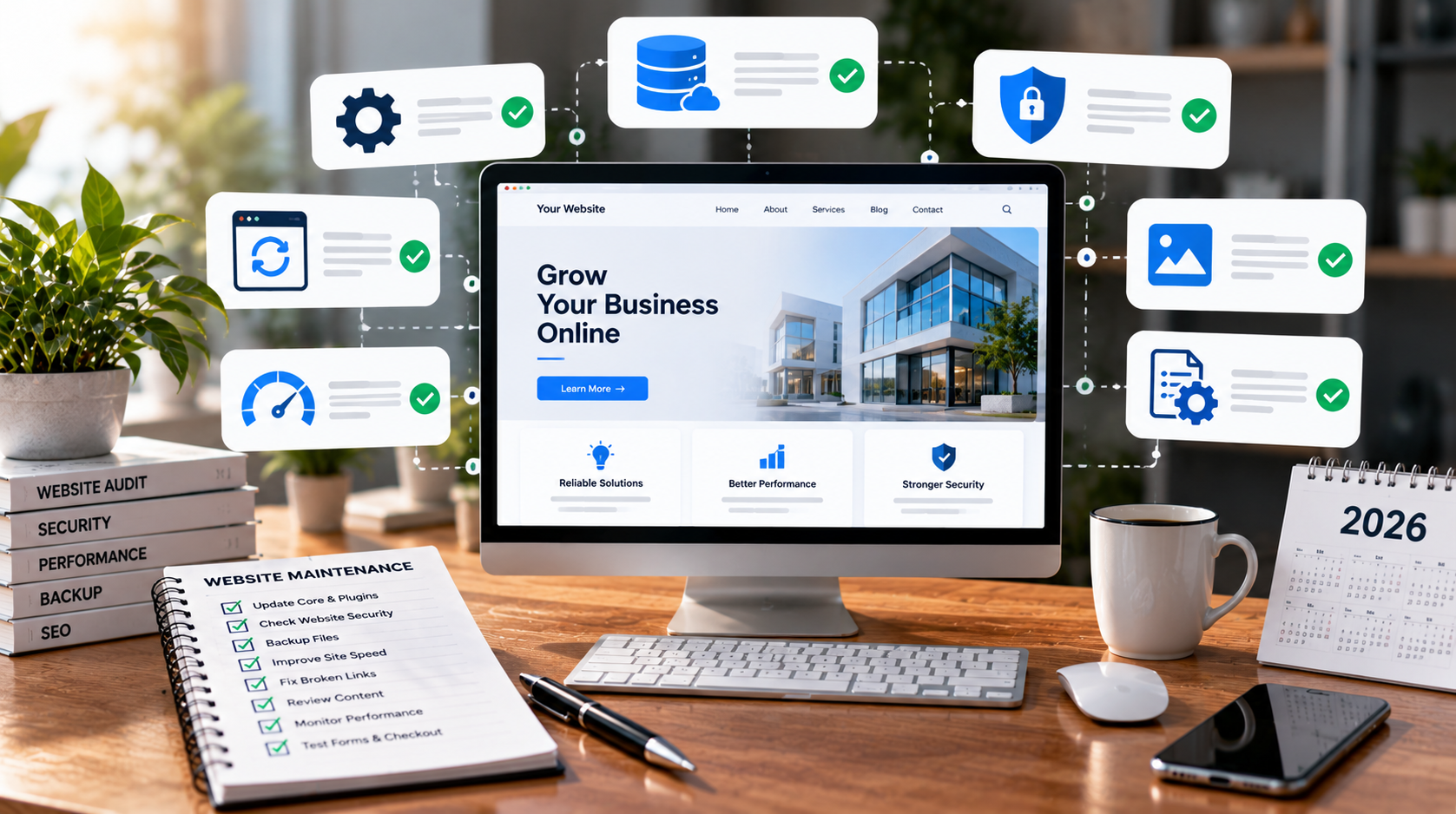
A website maintenance checklist is a structured list of maintenance tasks performed at defined intervals to keep a live site secure, fast, and up to date. It covers both technical work (software updates, automated backups, security monitoring) and content work (fixing broken links, refreshing outdated content, testing forms).
The goal is straightforward: reduce security risks, avoid downtime, and maintain search visibility. Regular maintenance prevents security vulnerabilities from outdated software. When these tasks slip, the consequences are real. A Phoenix dental practice lost an estimated $72,000 in revenue after a plugin vulnerability led to a hack that dropped their search rankings for four months. A website maintenance checklist should include security monitoring and software updates at every cadence level.
The rest of this article breaks the maintenance checklist into practical timeframes, from five-minute daily checks to full annual audits.
Preparation reduces the chance that maintenance activities will cause outages or broken functionality on your live site.
Start by documenting your platform stack. If you run WordPress, record your PHP version, hosting environment (shared, managed, or cloud), and every active plugin and theme version. If you use Shopify or a custom build, note which parts you maintain versus what the vendor handles. Each stack implies different maintenance tasks and responsibilities.
Set up automated backups following the 3-2-1 rule: three copies of your data, two different media types, one stored off-site. Automated backups protect against data loss from cyberattacks, accidental deletions, and failed updates. For WordPress, daily backups are recommended; for SaaS platforms, schedule app-level and database exports at least weekly.
Enable uptime monitoring tools that send immediate security alerts or downtime notifications to email or Slack. Aim for 99.9% uptime availability for your website, which translates to roughly 43 minutes of allowed downtime per month.
Create a simple maintenance runbook listing your domain registrar, DNS provider, hosting credentials, CDN, and email provider, along with who owns each account. This document prevents access scrambles during emergencies.
Daily checks should take 5 to 10 minutes and focus on catching critical issues before they compound. Uptime monitoring services ensure a website remains accessible around the clock; uptime monitoring tools alert you when your site goes down.
These essential tasks require no deep technical knowledge. Tools like UptimeRobot (uptime), Wordfence (security scans), and your host's backup dashboard handle the heavy lifting.
Weekly maintenance tasks handle most routine technical risk. This is where you keep your digital presence current and your site secure against known threats.
Updating CMS, plugins and themes is the first line of defense. Regularly update CMS, plugins, and themes to prevent vulnerabilities. WordPress reported over 11,000 security vulnerabilities in 2025, with more than 90% originating in plugins and themes rather than core. Weekly updates for plugins and themes are essential for security. Always apply plugin updates and theme updates on a staging environment first, one at a time, to isolate compatibility issues before pushing changes to production.
After updates, clear application and CDN caches so visitors see current content rather than stale cached versions. Then spot-check key pages for correct rendering and valid SSL.
Review your backup logs weekly. Verify backups exist and that retention covers at least several days. Perform a small test restore on staging at least once per month to confirm your backup solutions actually work.
Run security scans for malware and file integrity changes. Compare file hashes against known-good versions. Check security logs and firewall activity for failed logins from unusual geolocations or unexpected file modifications.
Monthly maintenance tasks focus on site performance, core web vitals, and user experience. Regular performance checks improve website speed and validate user experience. Monthly performance audits help identify issues before they escalate.
Page speed testing. Page load speed impacts user experience and SEO rankings. Shopify sites average 1.3 seconds load time, while WordPress sites can load between 2 and 4 seconds depending on theme weight and plugin count. Test representative URLs using Google PageSpeed Insights and Lighthouse, focusing on these core web vitals thresholds:
Broken link audit. Testing for broken internal and external links helps protect user experience and SEO. Websites with broken links can lose up to 70% of visitors. Tools like Screaming Frog check for broken links on your site. Run a full crawl to find and fix redirect chains, orphaned pages, and links pointing to unsafe or non-HTTPS domains using a broken link checker.
User journey testing. Test contact forms, newsletter signups, search, login, and (for ecommerce) add-to-cart and checkout flows. A silently failing checkout can bleed revenue for weeks before anyone notices.
Analytics and SEO review. Regular audits of traffic trends and SEO health support effective digital strategies. Monitoring and addressing analytics trends helps improve website performance and user engagement. Review Search Console coverage reports, top queries, crawl errors, and conversion funnels to spot emerging threats to your search rankings. Fast websites improve user experience and search engine rankings; slow performance does the opposite.
These monthly reviews are among the most important monthly tasks for any site owner. Monthly performance reviews help identify issues before they escalate into costly mistakes.
Quarterly reviews go deeper than routine maintenance. Think of them as a thorough service appointment for your website.
Plugin and theme audit. Quarterly reviews should assess installed plugins and themes. Remove unused plugins, unsupported extensions, and inactive themes. Every unnecessary component expands your attack surface, slows page load speed, and introduces potential security risks. If a plugin has not received an update in over a year, find a replacement.
Infrastructure audit. Check whether your PHP or runtime version is still supported (PHP 8.0 reached end-of-life in November 2023; running it in 2026 is a liability). Database optimization is crucial for maintaining site efficiency and performance; review slow queries, index usage, and table bloat. Verify SSL/TLS settings disable outdated protocols like TLS 1.0 and 1.1. Confirm your CDN configuration caches correctly and does not serve stale assets.
Security deep dive. Password rotations and enforcement of multi-factor authentication strengthen security. Audit admin accounts, remove former team members, enforce strong security practices including 2FA for every admin. Review access logs for suspicious activity. Ensure your firewall rules still block malicious traffic and third party integrations have not introduced new vulnerabilities.
Content review. Update pricing, staff bios, and service pages. Retire old campaigns that clutter navigation. Identify low performing content and either refresh it with current data or archive it. Keeping outdated content live can harm SEO and create a poor user experience.
Yearly maintenance tasks align your website with business goals, legal requirements, and brand direction.
Review your overall site architecture and navigation. Consolidate thin or duplicate content that cannibalizes search rankings. Archive legacy sections that no longer serve visitors or search engines. Annual audits ensure compliance with legal standards and business goals.
A legal and compliance check is necessary for maintaining privacy policies and terms of service. Verify your 2026 privacy policy, cookie notice, terms of service, and copyright footers reflect current legislation in every jurisdiction you serve. This keeps your site compliant with evolving compliance requirements.
Renew domain names, SSL certificates, premium plugin or theme licenses, and any paid maintenance tools before they lapse. An expired domain or SSL certificate destroys user trust and can tank search engine rankings overnight.
Website accessibility checks ensure usability across different devices and for people with disabilities. Conduct a full site audit covering technical health, SEO, accessibility, and security. Use findings to update your maintenance checklist for the coming year. Regular performance audits help identify issues before escalation across every layer of site health.
Security and backups are non-negotiable items in any maintenance checklist. WordPress sites experience over 90,000 attacks every minute. A single exploited vulnerability in a popular plugin exposed over one million WordPress sites in a recent supply-chain attack.
Configure automated daily backups with retention policies covering at least 14 days. Store copies off-site in a different region. Document exact restoration procedures so any team member can recover the site during a real security incident without guessing at steps.
Set up a Web Application Firewall to block malicious traffic, brute-force protection to limit login attempts, and basic rate limiting to reduce security vulnerabilities from common attack patterns. Keep your hosting environment patched and replace components immediately when high-severity security risks are announced (plugin zero-days, critical library CVEs). Timely updates are the difference between a secure site and a compromised one.
Maintain a simple incident response plan: who to contact, how to put the site in maintenance mode, and how to communicate with users during outages. This plan turns security incidents from panic events into managed processes.
This section covers where your maintenance routine focuses on user experience and search performance rather than just uptime.
Performance monitoring tools track page load speeds and identify bottlenecks in your rendering pipeline. Measure and optimize core web vitals on your highest-traffic templates: landing pages, blog posts, product pages, and service pages. Field data from Search Console gives deeper insights into real-user performance than lab tests alone.
Ongoing performance maintenance activities include:
For broken links, run a broken link checker monthly and review Search Console's crawl errors report. Fix redirect chains (A → B → C) by replacing them with direct redirects. Remove links pointing to unsafe or dead domains.
Maintain a simple performance log where you record test dates, tools used, scores, and major fixes. This spreadsheet lets you track whether site performance is improving or regressing over time, and gives you key metrics to reference during monthly reviews.

The right tools automate repetitive maintenance tasks and reduce human error. Website maintenance services automate routine checks and fixes across security, performance, and content health.
Core categories you need covered:
Limit your toolkit to a few reliable options rather than installing dozens of overlapping plugins. Multiple security plugins, for example, often conflict and slow the site. Create a "tool map" noting which maintenance tools handle which tasks and when they are checked. Review your tool stack at least annually to remove unused or outdated tools and train your team on any new interfaces.
A maintenance checklist works only when it is built into a recurring schedule with clear ownership.
Map each maintenance task to a cadence (daily, weekly, monthly, quarterly, annually) and assign a named owner. For example: "Plugin updates → weekly → Developer" and "SEO review → monthly → Marketing lead." Use calendar events or a project management board (Asana, Trello, or similar) where recurring tickets represent essential tasks from your checklist.
Review and adjust the checklist every 6 to 12 months. New security risks, platform changes, or shifts in business priorities will require updates. After recent plugin supply-chain attacks, many site owners added extra quarterly plugin security reviews to their ongoing maintenance schedules.
A disciplined maintenance routine protects your investment, keeps security vulnerabilities under control, and supports long-term growth. Regular website maintenance is how you save money by preventing the technical issues and costly mistakes that come from neglect. Start with the daily and weekly tasks this week, then layer in monthly and quarterly reviews over the next 30 days.
Scan installed plugins at least quarterly, removing any that are inactive, unsupported, or haven't received an update since 2024. High-risk components like payment gateways or form processors warrant monthly checks for new security advisories. A vulnerability in Elementor Pro and Super Forms affected over six million sites; catching advisories within days of disclosure matters.
Four essential monthly tasks: verify backups are restorable, run a broken links audit, test key forms or checkout flows, and review core web vitals for your top pages. Schedule these on a single dedicated "maintenance day" each month. These four tasks cover security, UX, SEO, and revenue impact in roughly two hours.
Perform a test restore to a staging or local environment at least once per quarter. Use your most recent backup file, restore both files and database, and confirm the site loads without errors. Test that forms, login, and checkout all function. If the restore fails, your backup solutions need reconfiguring before a real incident occurs.
Seek help when maintenance tasks are consistently delayed, security alerts become frequent, or ecommerce revenue depends on constant uptime. Complex stacks with custom code, many third party integrations, or high-traffic sites benefit from a managed maintenance plan. The cost of professional help (often $100 to $500 per month for SMB sites) is typically less than the cost of recovering from a breach or extended downtime.
Use one master maintenance checklist, then create per-site variations listing each site's platform, critical user paths, and unique integrations. Centralize your performance monitoring and reporting so you can see uptime, security alerts, and key metrics across all sites in one dashboard. This approach keeps your regular maintenance efficient without missing site-specific technical issues.